
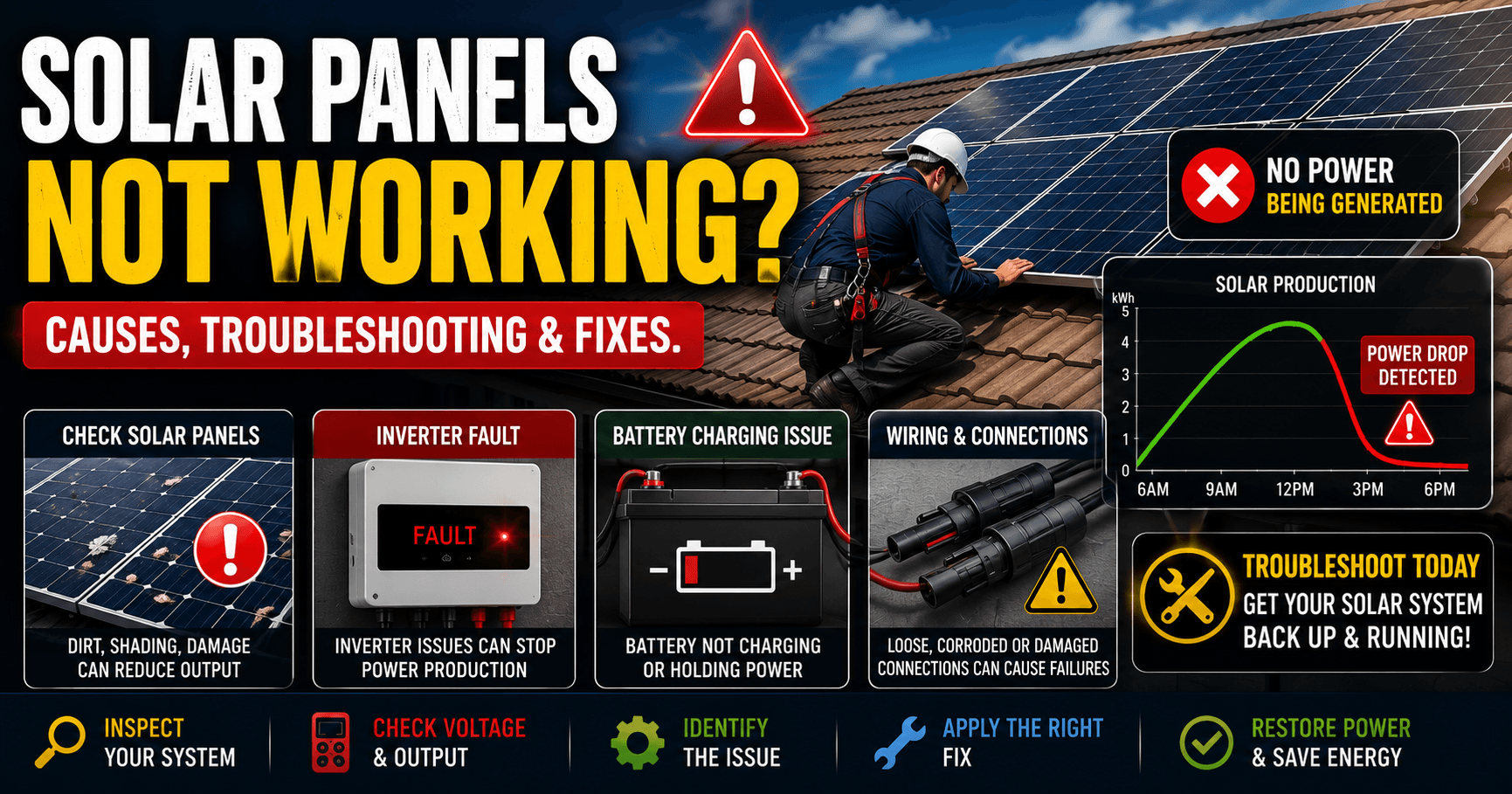

Solar panels are designed to generate electricity reliably for 25 years or more. However, even the best solar systems can experience problems that reduce or completely stop power production. If you are facing your solar panels not working, don’t panic.
In many cases, the issue may be something simple, such as dirt buildup, shading, loose wiring, inverter faults, or battery problems. The key is to diagnose the problem systematically.
In this guide, you’ll learn:
- Why solar panels stop working
- How to identify the root cause
- Step-by-step troubleshooting methods
- Real-world examples
- When to call a professional
- How to prevent future problems
By the end, you’ll have a practical process for diagnosing most solar panel performance issues.
Quick Answer
If your solar panels are not working, the most common causes include:
- Dirty solar panels
- Excessive shading
- Inverter faults
- Loose wiring
- Faulty charge controller
- Battery issues
- Solar panel damage
- System configuration problems
Most issues can be identified by checking system performance, inverter status, and solar production levels.
Signs Your Solar Panels Not Working Properly
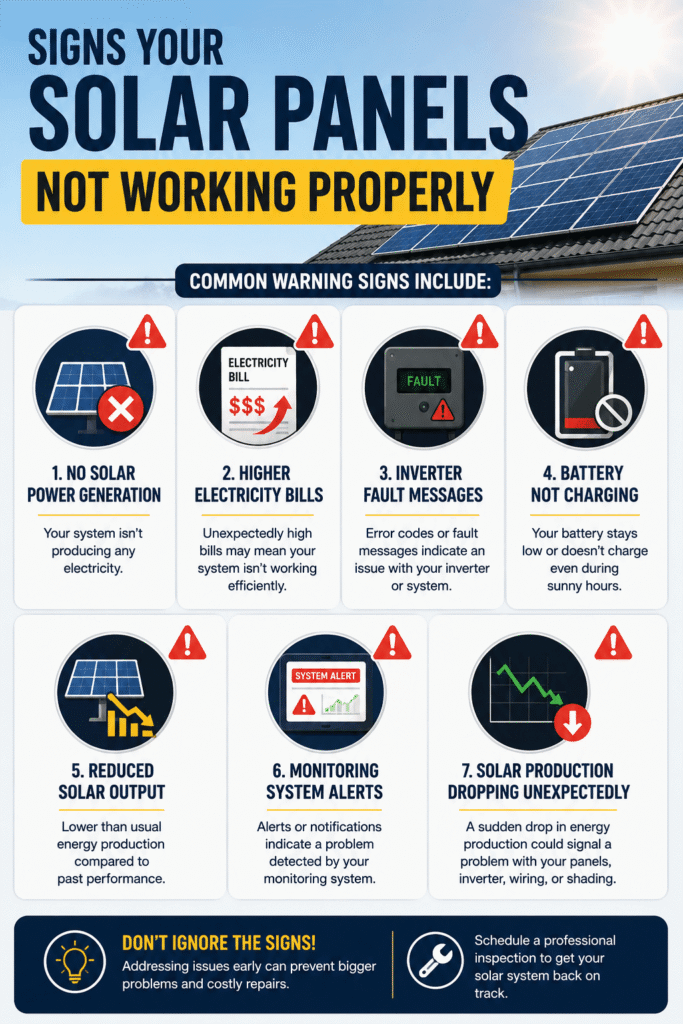
Common warning signs include:
- No solar power generation
- Higher electricity bills
- Inverter fault messages
- Battery not charging
- Reduced solar output
- Monitoring system alerts
- Solar production dropping unexpectedly
Some systems may continue producing power but at significantly reduced levels.
Troubleshooting Solar Panels Not Working Issue
If you are facing the solar panels not working issue, you can try the below troubleshooting methods.
Step 1: Check the Inverter First
The inverter is often the easiest place to begin troubleshooting. Most modern solar systems provide status information through the inverter display or monitoring app.
Look for:
- Error messages
- Warning lights
- Fault codes
- Red indicator lights
- Unexpected shutdowns
Real Example
Problem: Solar production dropped to zero.
Cause: Inverter fault.
Solution: Inverter reset and firmware update.
Result: Normal production restored.
Related Guides:
Step 2: Inspect Solar Panels for Dirt and Debris
Dirty solar panels are one of the most overlooked causes of reduced performance.
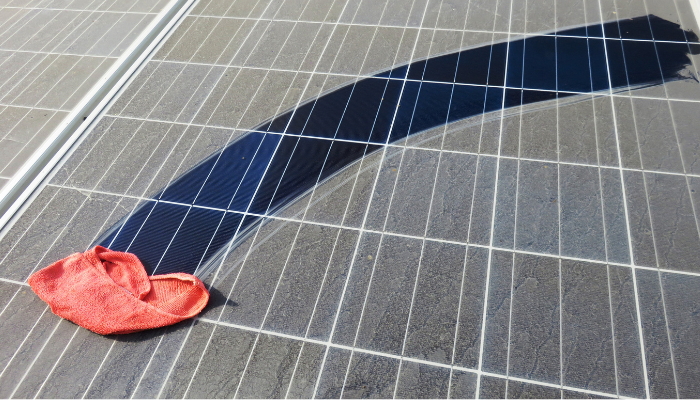
Common buildup includes:
- Dust
- Bird droppings
- Leaves
- Pollen
- Pollution residue
Real Example
Problem: Production decreased by 20%.
Cause: Heavy dust accumulation.
Solution: Solar Panel cleaning.
Result: Power output returned close to normal levels.
Step 3: Check for Shading
Even partial shading can significantly affect solar panel output.
Common sources include:
- Trees
- Antennas
- Water tanks
- Nearby buildings
- New construction
Real Example
Problem: Solar production lower only during afternoon hours.
Cause: Tree growth creating shade.
Solution: Tree trimming.
Result: Solar output improved immediately.
Step 4: Inspect Wiring and Connections
Loose or damaged wiring can prevent solar energy from reaching the inverter or battery.
Check For:
- Loose connectors
- Corrosion
- Damaged insulation
- Burn marks
- Rodent damage
Real Example
Problem: Solar production stopped suddenly.
Cause: Loose MC4 connector.
Solution: Connector replaced.
Result: System resumed operation.
Step 5: Verify Charge Controller Operation
For battery-based systems, a faulty charge controller can cause charging issues.
Common Symptoms
- Battery not charging
- Battery overcharging
- Controller error codes
- Blank display
Related Guide:
Step 6: Check Battery Health
Sometimes the solar panels are working normally.
The actual problem is the battery.
Common Battery Issues
- Battery not charging
- Battery not holding charge
- Battery overcharging
- Aging batteries
Real Example
Problem: Home lost backup power quickly.
Cause: Battery capacity degraded significantly.
Solution: Battery replacement.
Result: Backup performance restored.
Related Guides:
Step 7: Look for Physical Solar Panel Damage
Physical damage can reduce energy production.
Common Issues
- Cracked glass
- Delamination
- Burn marks
- Moisture intrusion
- Broken junction boxes
Real Example
Problem: One panel produced significantly less power.
Cause: Microcracks caused by storm damage.
Solution: Panel replacement.
Result: String performance normalized.
Step 8: Check for Overheating and Hot Spots
Solar panels naturally get warm.
However, excessive heat can indicate problems.
Hot Spot Symptoms
- Localized overheating
- Discoloration
- Reduced power output
Causes
- Cell damage
- Manufacturing defects
- Shading
- Dirt accumulation
Hot spots can accelerate panel degradation if left untreated.
Step 9: Compare Current Production to Historical Performance
One of the best troubleshooting methods is comparing current output with previous performance.
Example
Last Year Average: 25 kWh/day
Current Average: 15 kWh/day
Production Loss: 40%
This indicates a system issue requiring investigation.
Step 10: Consider Weather Conditions
Weather significantly affects solar production.
Factors include:
- Cloud cover
- Rain
- Seasonal changes
- Temperature
Not every drop in solar output indicates a system fault.
Real Example
Summer Production: 30 kWh/day
Winter Production: 18 kWh/day
Result: Normal seasonal variation.
Step 11: Check Monitoring Data
Modern monitoring platforms can reveal:
- String failures
- Production drops
- Voltage issues
- Panel-level faults
Monitoring data often helps identify problems before they become serious.
Common Reasons For Solar Panels NOT Working Issue
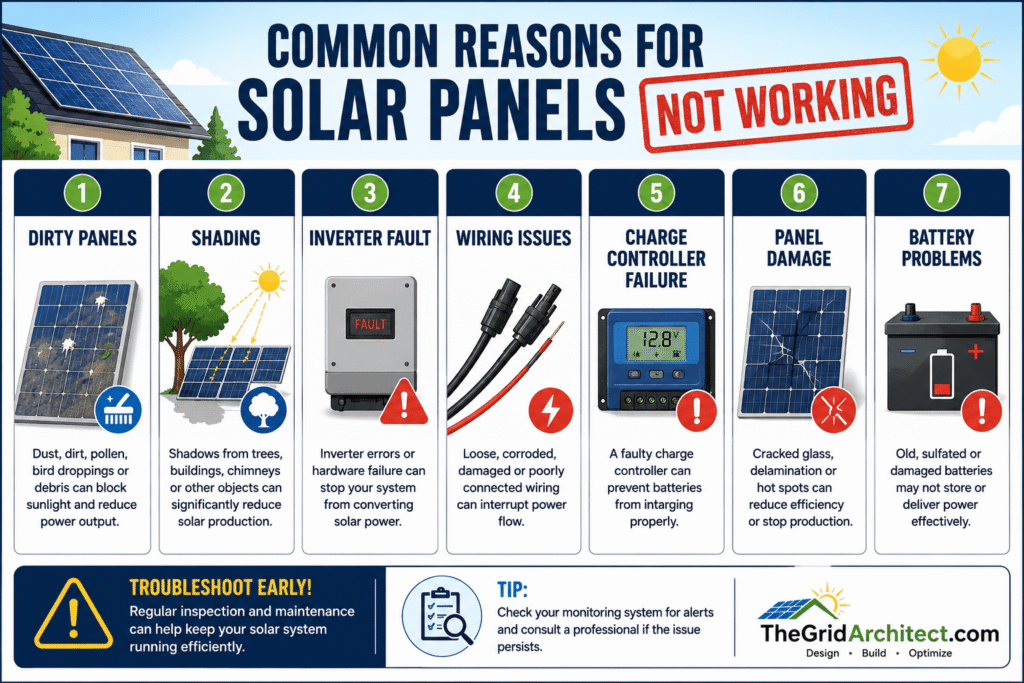
| Problem | Symptoms | Possible Fix |
|---|---|---|
| Dirty Panels | Lower production | Clean panels |
| Shading | Reduced output | Remove obstruction |
| Inverter Fault | No production | Diagnose inverter |
| Wiring Issues | Intermittent power | Repair wiring |
| Battery Problems | Poor backup | Test battery |
| Charge Controller Failure | Charging issues | Replace controller |
| Panel Damage | Low output | Repair or replace panel |
Real Homeowner Scenarios
Scenario 1: Production Suddenly Drops to Zero
Cause: Inverter shutdown.
Fix: Reset inverter and resolve fault code.
Scenario 2: Solar Panels Working but Battery Not Charging
Cause: Faulty charge controller.
Fix: Controller replacement.
Scenario 3: Output Gradually Decreases
Cause: Dust buildup and seasonal shading.
Fix: Cleaning and vegetation management.
Scenario 4: One Solar Panel Producing Less Power
Cause: Physical damage and cell degradation.
Fix: Panel inspection and replacement.
Complete Troubleshooting Checklist
Follow this sequence:
Step 1: Check inverter status.
Step 2: Review monitoring system.
Step 3: Inspect solar panels visually.
Step 4: Check for shading.
Step 5: Inspect wiring.
Step 6: Verify charge controller operation.
Step 7: Test battery health.
Step 8: Compare production history.
Step 9: Look for physical panel damage.
Step 10: Contact a qualified technician if needed.
How to Prevent Solar Panel Problems
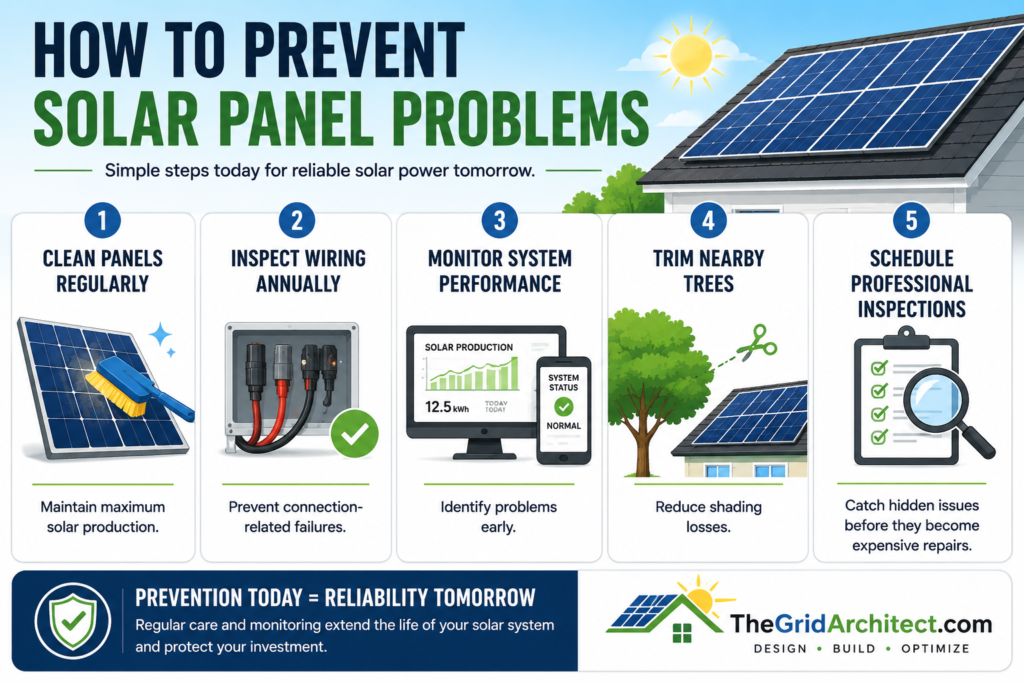
Clean Panels Regularly
Maintain maximum solar production.
Inspect Wiring Annually
Prevent connection-related failures.
Monitor System Performance
Identify problems early.
Trim Nearby Trees
Reduce shading losses.
Schedule Professional Inspections
Catch hidden issues before they become expensive repairs.
Why Are My Solar Panels Producing Less Power Than Before?
Sometimes solar panels are technically working but generating far less electricity than expected.
Common causes include:
- Dirt buildup
- Partial shading
- Aging solar panels
- Inverter inefficiencies
- Wiring issues
- High temperatures
Real Example
Expected Production: 25 kWh/day
Actual Production: 14 kWh/day
Cause: Heavy dust accumulation combined with seasonal shading.
Solution: Panel cleaning and tree trimming.
Result: Production increased to 23 kWh/day.
Related Articles:
Why Is My Battery Not Charging Even Though Solar Panels Are Working?
This is one of the most common homeowner complaints.
Possible causes:
- Faulty charge controller
- Battery degradation
- Incorrect inverter settings
- Loose battery wiring
Real Example
Problem: Solar panels generated normal power.
Battery remained at 30%.
Cause: Charge controller failure.
Solution: Controller replacement.
Result: Battery charging restored.
Related Article:
Solar Panels Stop Working After Rain
Can Rain Cause Solar Panel Problems? Solar panels are designed for outdoor use.
However, rain may reveal existing issues such as:
- Damaged connectors
- Water ingress
- Faulty junction boxes
- Ground faults
Warning Signs
- Inverter fault messages
- Sudden production loss
- Intermittent system operation
A system that fails after rain often requires inspection of wiring and electrical connections.
Solar Panels Working During Day but Not at Night
Is It Normal for Solar Panels to Stop Working at Night? Yes. Solar panels only generate electricity when exposed to sunlight.
However, your battery backup system should continue supplying power if properly configured.
If nighttime backup fails:
Possible causes include:
- Weak battery
- Battery not holding charge
- Inverter problems
How to Tell if a Solar Panel Is Faulty
Signs of a Bad Solar Panel
Look for:
- Cracked glass
- Burn marks
- Delamination
- Hot spots
- Significant power loss
- Physical discoloration
Real Example
One panel in a string produced much less power than the others.
Cause: Cell damage caused by microcracks.
Solution: Panel replacement.
Result: String output normalized.
Solar Panel Warranty and Repair Options
Is a Faulty Solar Panel Covered Under Warranty?
Possibly. Many manufacturers provide:
- Product warranty (10–25 years)
- Performance warranty (25–30 years)
Coverage often depends on the cause of the failure. Manufacturing defects are commonly covered, while accidental damage usually is not.
Related Article:
When Should You Call a Professional?
Contact a qualified solar technician if:
- Inverter fault codes persist
- Wiring damage is visible
- Solar production remains low after troubleshooting
- Panels show physical damage
- Electrical testing is required
FAQs
Why are my solar panels producing no power?
Common causes include inverter faults, wiring issues, shading, dirty panels, or damaged equipment.
Can dirty solar panels stop power production?
Severe dirt buildup can significantly reduce output, although it rarely stops production entirely.
How do I know if my solar inverter is faulty?
Warning signs include fault codes, red lights, blank displays, and zero power production.
Can a battery problem make solar panels appear not to work?
Yes. A failing battery can create symptoms that resemble panel problems, particularly in off-grid systems.
Do solar panels stop working after 25 years?
Not usually. Most solar panels continue producing electricity beyond their warranty period, although output gradually declines.
Can shading cause solar panels to stop working?
Even partial shading can significantly reduce production, especially in systems without panel-level optimization.
Can solar panels fail completely?
Yes, although complete failure is relatively uncommon. Problems are more often caused by inverters, wiring, batteries, or charge controllers.
Why are my solar panels producing less electricity?
Common causes include dirt, shading, weather conditions, aging equipment, and system faults.
Can a bad inverter make solar panels appear not to work?
Yes. Inverter failures are one of the most common reasons solar systems stop producing power.
Can rain damage solar panels?
The panels themselves are weather-resistant, but damaged wiring or connectors may develop problems after heavy rain.
How long do solar panels last?
Most solar panels continue generating electricity for 25–30 years or more, although output gradually decreases over time.
Final Thoughts
When solar panels stop working, the root cause is often not the panels themselves.
In many cases, the problem lies with:
- The inverter
- Charge controller
- Battery
- Wiring
- Dirt buildup
- Shading
By following a systematic troubleshooting process, homeowners can often identify the cause quickly and restore solar system performance before major damage occurs.
Regular maintenance, monitoring, and inspections remain the best way to maximize solar energy production and protect your investment for decades.
